
How it works · one employer
See How One Employer Becomes A Sales Opportunity.
See why the employer is worth calling, how the owner adds it to the plan, and how the rep can start the call.
Step 1 of 4 · The Evidence
Why This Employer?
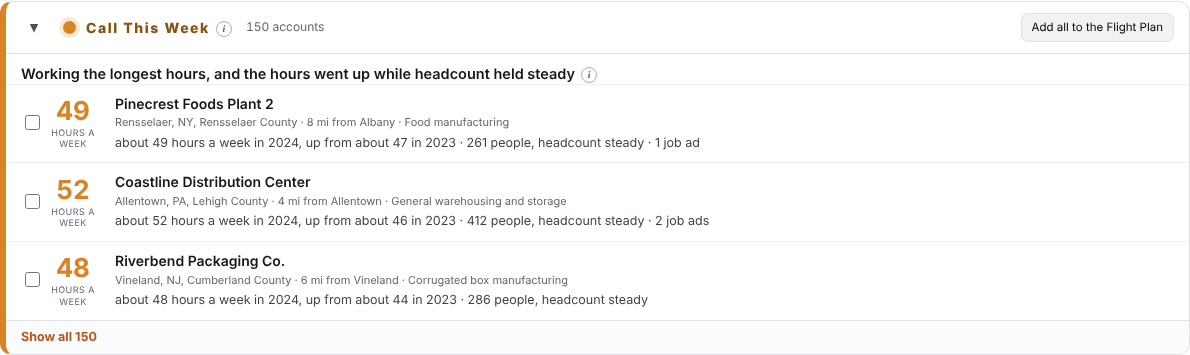
A food manufacturer near Albany, New York, with 261 people on payroll. Here's what its public record shows.
| Signal | What it shows | Source and date |
|---|---|---|
| Hours per person | About 49 hours a week each in 2024, about 9 past a 40-hour week | Its own OSHA Form 300A, 2024 |
| Year over year | Up from about 47 hours a week in 2023, with headcount holding steady | Same filing, 2023 and 2024 |
| Job ads | 1 job ad up this week | Checked weekly |
Long, rising hours and an active job ad put it in Call This Week. These signals show a reason to call, not a confirmed staffing order or decision to buy.
Step 2 of 4 · The Owner
The Owner Puts It On The Flight Plan.
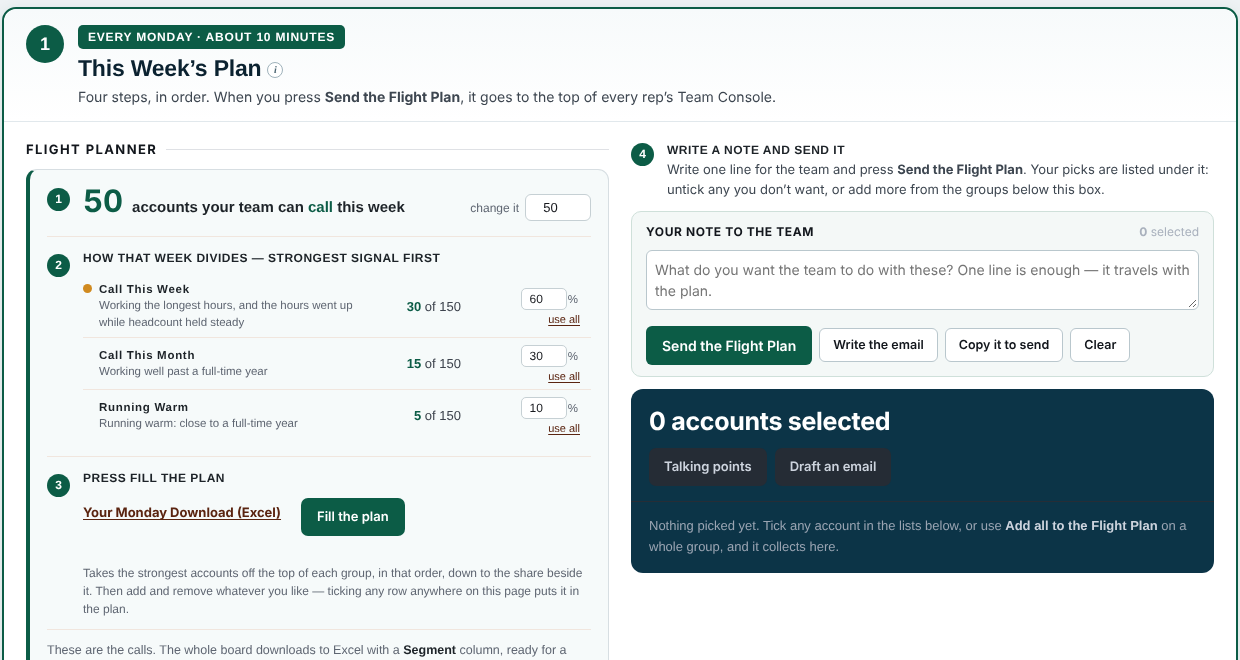
On Monday, the owner opens the Manager Console, selects the employer and adds a short note for the team. Then the owner sends the Flight Plan.
Build a plan your team can actually work: a manageable number of employers for each rep, not a list of thousands.
Step 3 of 4 · The Rep
The Rep Sees It, With The Reasons.
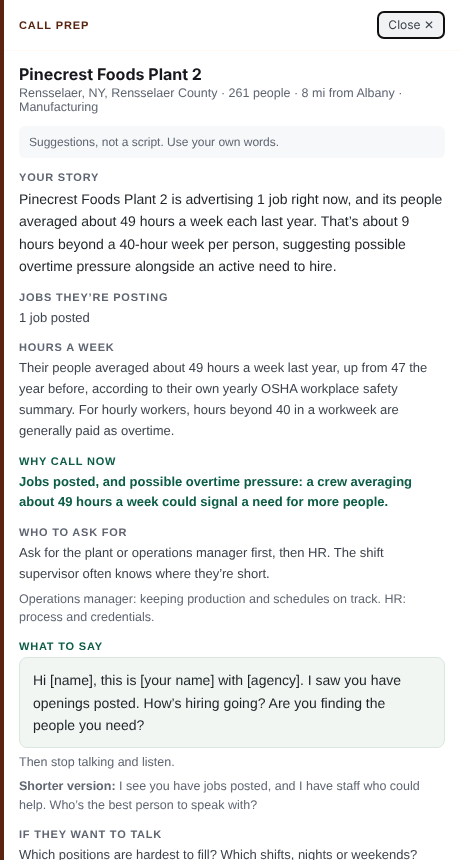
In the Team Console, the rep sees the same employer, in the same group, with the same figures. One click opens Call Prep.
Call Prep also asks whether the extra work is seasonal, tied to a project, or part of the regular workload. Each rep says it in their own words.
Step 4 of 4 · The Week
See What Got Attempted Without Calling A Meeting About It.
On the owner's Flight Deck: who opened the plan, which accounts on it each rep has attempted, which are still untouched, and who owns each account.
Record call outcomes in your CRM. Use demandPILOT to decide which employers to call first.
Two Roles, One Plan.
For owners and sales leaders
Review the market, choose accounts that fit your team's capacity, add your note, and send the Flight Plan. Check the Flight Deck to see what has been attempted.
For sales and recruiting
Open your priority list, prepare with Call Prep, and add your own opportunities. Mark each account after you try to reach it.